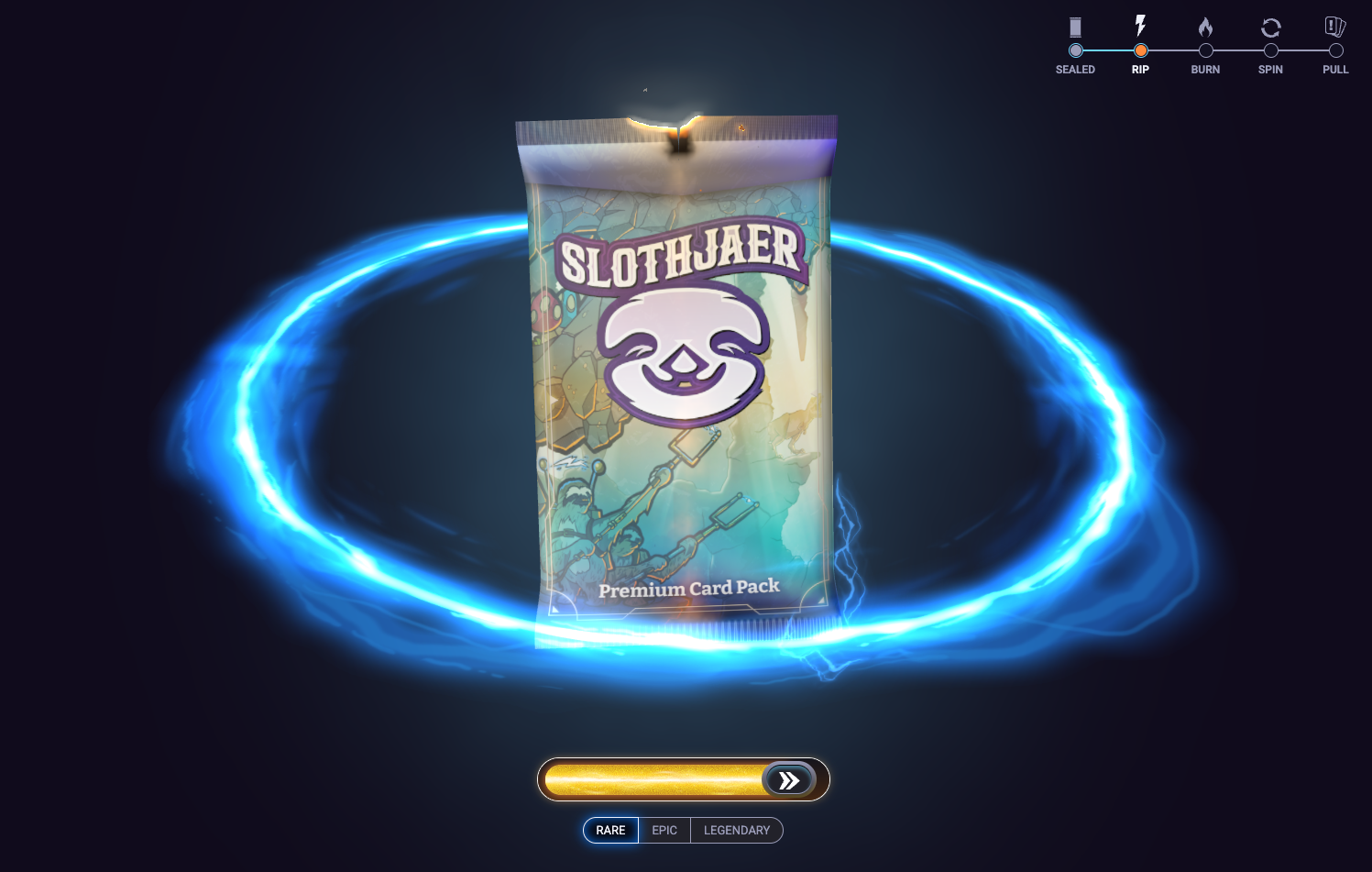
Everyone’s talking about AI, and for creative professionals it’s a complicated conversation. I wanted to build something that shows I can bring AI into my workflow, and that my years of product experience let me use it to extend my skills, not replace them.
Reward moments are critical in games and in any product that uses gamification to engage users. A digital card pack opening felt like the right project to show what I can do.
I started with a rough storyboard: a sealed foil pack, a swipe that tears it open, edges that burn into embers, building magic, and a final card reveal. I fed it into Cursor to see what came out.
The first version hit the beats of the storyboard, but the visuals were rough and generic. That’s where the real work started: taking a functional first pass and turning it into something that looks and feels like a finished product.
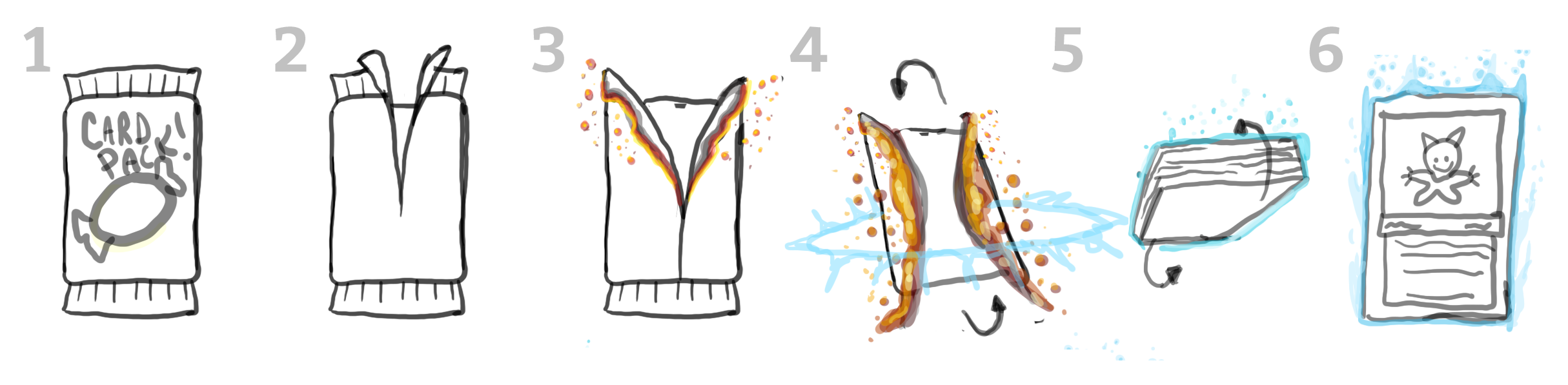
I did a rough storyboard of how I wanted the pack to open. Really rough.
I worked in Cursor over about 120 prompts, treating it like a fast technical artist. I judged every change in the browser and gave feedback the way I would in a VFX review: specific percentages, timing in seconds, and annotated screenshots marking what was wrong.
Most of my prompting went into how foil actually burns. I tuned it in layers, one at a time:
I replaced the swipe with a slide-to-rip control, which gives the user a clear moment of commitment. Then I loaded the slider with anticipation:
I added Rare, Epic and Legendary tiers and set a firm rule: nothing hints at the tier until the card flips. Every pack looks the same until the reveal, which keeps the experience honest for any product built on fair odds.
At the flip, a tier-colored beam snakes around the card, the background tints, smoke blooms behind it, and the glow and particle count rise with rarity. I timed each tier’s flip from a rough motion guide I made in After Effects. Rare floats down light and feathery, Legendary lands with real weight, and Epic sits between them.
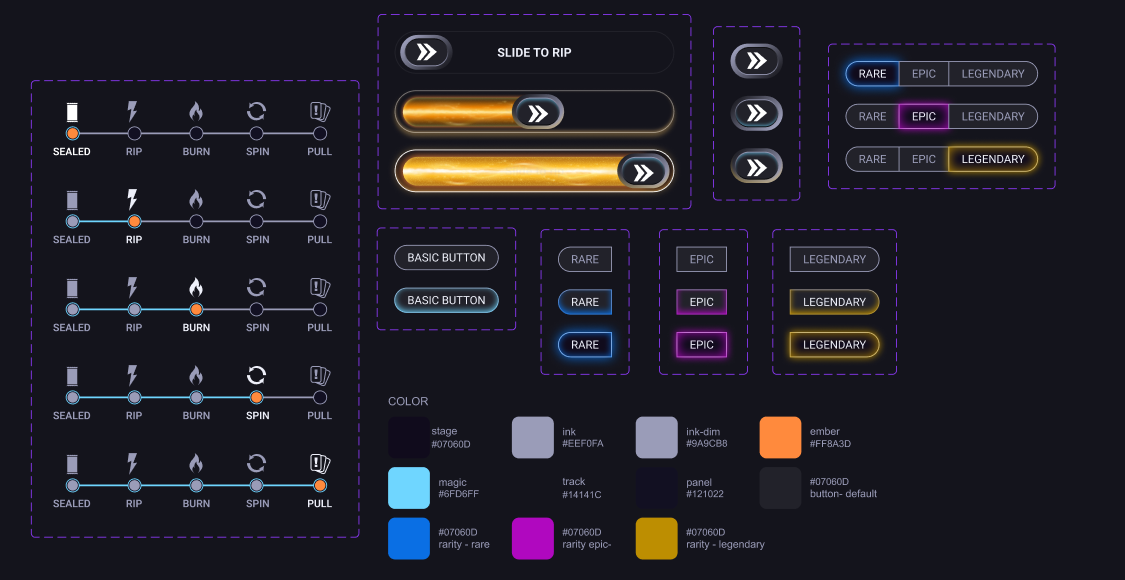
The UI design system. I was pleasantly surprised by how well Cursor took my design system and populated it within the demo.
The code handles motion and timing. The look comes from assets I made by hand, each one dropped into the project folder and wired in by name.
The concept frames did the most work. When a description wasn’t landing, a quick paint-over (green lines showing the tear angle, a sequenced crackle concept, a marked-up singe) got the next iteration right far more often than more words did.
Figma became the source of truth for the interface. I built a UI Kit page for components and a Layout page for placement, and the prototype matched them to within a few pixels.
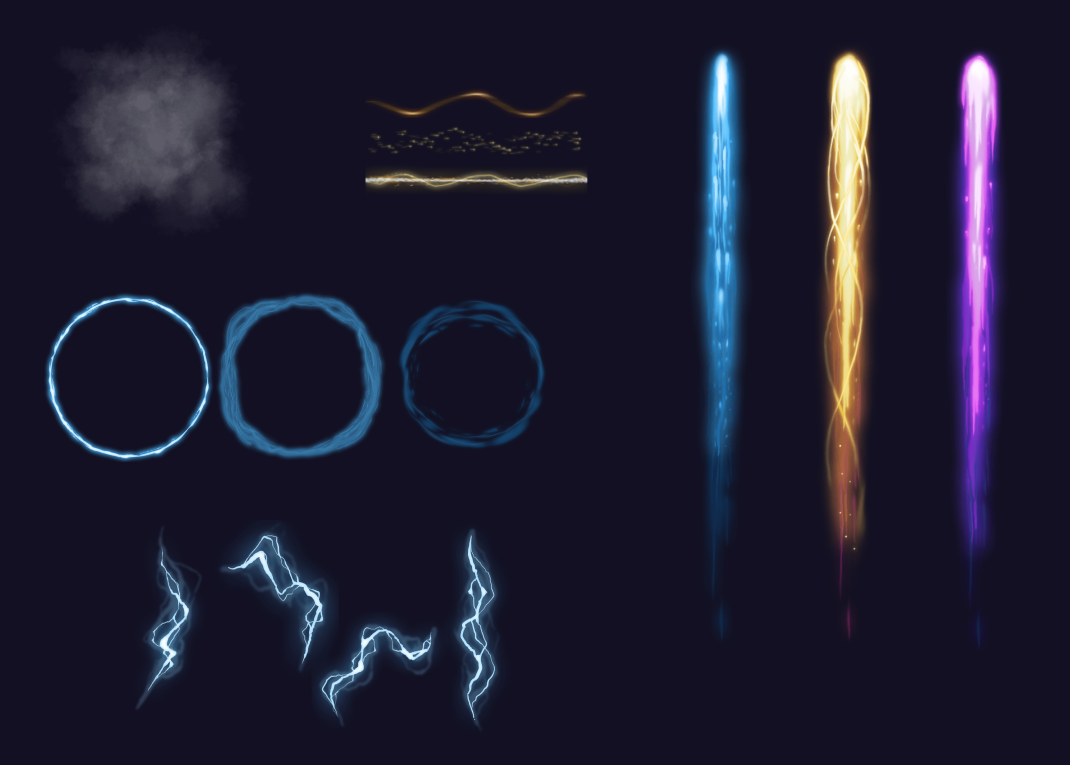
I created the VFX sprites from scratch in Photoshop.
The result is a live, mobile-ready pack opening with a burn I’d put next to a shipped game, rarity-driven reveals, and art that swaps by file. It went from storyboard to a live site in six days.
The bigger result was the workflow. I directed the build the way I’d direct a VFX artist and a front-end engineer, made the assets myself, and shipped without waiting on anyone.